


Ragdoll Capture
4.621.00 Reviews
App Specs
- Version
- 1.1.6
- Updated On
- License
- Free
- Downloads
- 1,000,000+
- Developer
- FourM Inc.
- Categories
- Arcade
- Platform
- Android
Screenshots

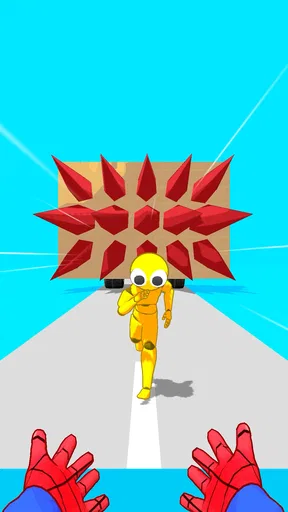
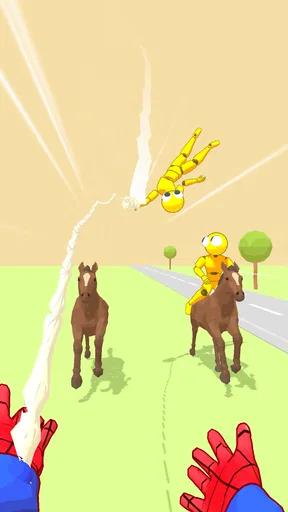
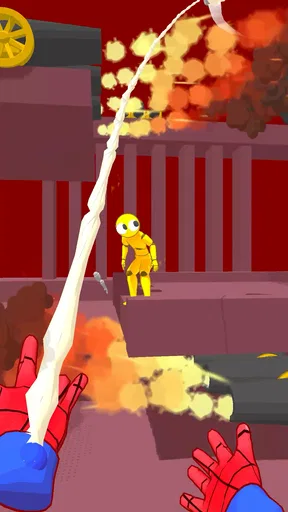
 Analysis by AppCompare
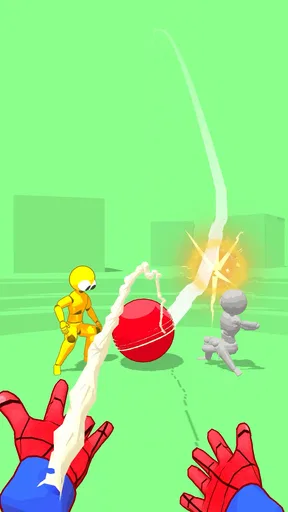
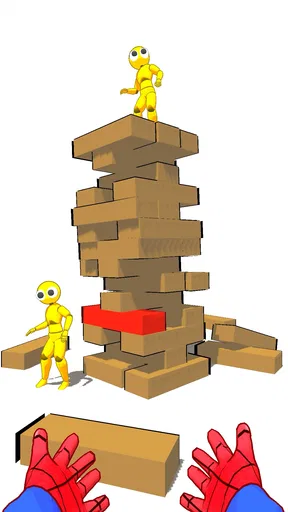
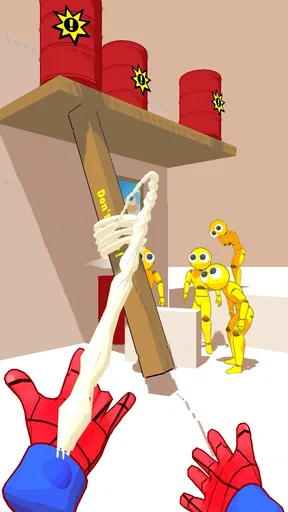
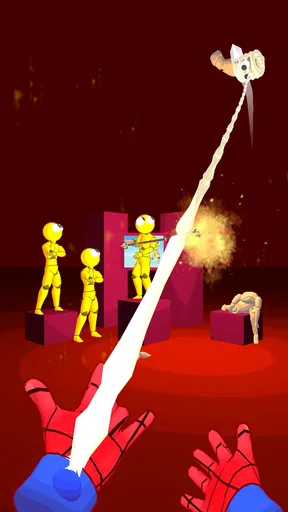
I went into Ragdoll Capture expecting a quick arcade distraction, and that is exactly where it works best. The idea is simple: you play a web-slinging hero, aim at ragdoll characters, and try to capture or defeat them. It is easy to understand within moments, but the small decisions involved in lining up a shot give each attempt more personality than the short store summary suggests.
FourM Inc. keeps the concept focused rather than turning it into a large adventure. That makes this a game I can open when I have a few spare minutes, play several rounds, and put down without feeling that I have abandoned a complicated campaign. At the same time, its simplicity means the experience depends heavily on responsive controls and clear visual feedback. When those feel right, the game is pleasantly absorbing; when they do not, even a straightforward challenge can become frustrating.
What playing Ragdoll Capture feels like
This is an arcade game built around timing, positioning, and the satisfying visual idea of a web hero dealing with loose-limbed targets. The ragdoll presentation gives the action a playful tone instead of making it feel intense or realistic, which fits the Everyone content rating. I found that the appeal comes less from a deep story and more from the immediate question of whether I can make the next capture cleanly.
The strongest part of the design is its accessibility. You do not need to learn a fictional universe, study character statistics, or remember a long sequence of objectives before starting. The premise is readable at a glance, making it suitable for a short break, a waiting room, or a relaxed session at home. If you enjoy arcade games that communicate their goal quickly, this is a natural fit.
That same focus creates a clear limitation. Players looking for exploration, a detailed progression system, or a large collection of modes may find the experience narrow. Ragdoll Capture is not trying to replace a full action game. It is better understood as a compact skill-and-reaction game whose pleasure comes from repeated attempts and the physical comedy of the ragdoll action.
Where players are most likely to get stuck
The first obstacle is not usually understanding the objective; it is learning how precise the interaction needs to be. A web attack can look as though it should connect, yet a slightly poor angle or late input may produce a miss. My advice is to stop treating every attempt as a race. Watch the layout for a moment, identify the safest line, and then act. That small pause often helps more than tapping repeatedly.
Another common source of confusion is assuming that a failed capture means the game has not registered the input. In an arcade title built around physical movement, the result may depend on where the web reaches and how the target reacts. If the character moves unexpectedly, replay the situation with a different angle rather than repeating the exact same gesture. This turns failure into useful information instead of random irritation.
Worth Reading Before You Choose

EA SPORTS FC Mobile 26 Is a Bigger Football Game, but It Takes Time

Flipboard Shows What News Apps Must Do Beyond the Feed

Switching to Android Auto Means Rethinking Your Driving Routine

Google Calendar Makes a Crowded Week Easier to Manage

Ludo King Makes the Most of the Minutes Between Plans

Baby Panda World Brings Quick Play to Modern Phones, but Its Game Library Feels Busy
I also noticed that the game is more enjoyable when I use deliberate movements. Fast, nervous taps may feel energetic, but they make it harder to tell whether the problem was my timing, my aim, or a momentary interruption. A slower approach gives me a clearer sense of the game’s rhythm and makes improvement easier to notice.
Setup checks before blaming the game
Ragdoll Capture is free and supports Android devices running version 7.0 or later. Before installing, I would check the operating-system requirement rather than assuming that any older phone will run it. A compatible device is especially important for an arcade game because delayed touch response can make an otherwise fair challenge feel inconsistent.
After installation, I recommend closing demanding apps that are already running, especially on an older phone. This is not a special requirement of the game; it is a sensible way to reduce background pressure before judging responsiveness. I would also make sure the device has enough free storage for a normal installation and restart the phone if the first launch behaves strangely.
If the game opens but the controls feel delayed, test the phone’s touch response in another simple app. This quick comparison helps separate a game-specific issue from a device-wide problem. A thick screen protector, a damp display, or a phone that is already warm can affect tapping accuracy, and those causes are easy to overlook when the action is moving quickly.
For anyone installing it for a child, the Everyone rating makes the age suitability straightforward, but I would still supervise the first session. The game is simple to explain, yet a younger player may interpret a missed capture as a control problem and start tapping harder. Showing them to pause, observe, and try a new angle is more useful than simply telling them to be faster.
Recovering a frustrating session
When a round goes badly, my first recovery step is to stop tapping for a few seconds and begin again with a clean attempt. Repeated inputs can make it difficult to tell whether the game is responding normally. A fresh round gives me a better baseline and prevents one awkward sequence from shaping my opinion of the whole session.
If the game seems frozen during startup, I would leave it briefly, then close and reopen it once. If that does not help, restarting the device is a reasonable general step. I would avoid repeatedly reinstalling the game as a first response, because that can waste time without addressing a weak connection, an overloaded phone, or a temporary system problem.
For control issues, I find it useful to change only one thing at a time. Try a slower gesture first. Then try a different angle. Then test the same action after closing other apps. Changing everything at once makes it impossible to learn what fixed the problem. This method is particularly valuable in Ragdoll Capture because the core interaction is so compact: small differences in timing and direction matter.
A useful personal routine is to treat the first attempt after reopening as a calibration round. I do not judge my performance immediately. I watch how the web action begins, how the target reacts, and whether the display tracks my input consistently. Once those basics feel normal, I can focus on the challenge rather than wondering whether the phone is behaving correctly.
When the game is not the real cause
Not every missed action points to a software fault. If other apps also respond slowly, the phone itself may be busy. If taps fail only near one edge of the screen, the problem may be the display or how the device is being held. If performance changes after long play, heat or background activity may be involved. These checks sound obvious, but they prevent a simple arcade game from receiving blame for a broader device issue.
Connection conditions can also complicate troubleshooting, particularly during installation or when the game is first opened. If the download pauses or the launch process behaves inconsistently, checking the network and trying again later is more sensible than assuming the gameplay is broken. I prefer to separate installation trouble from in-game control trouble because they require different responses.
It is also worth remembering that a game can be working correctly while still not matching a player’s preferences. Ragdoll Capture asks for repeated attention to aim and timing. Someone who dislikes retries, compact arcade loops, or physics-based visual reactions may call the experience frustrating even when the controls are functioning as intended. In that case, switching to a puzzle game, a slower strategy title, or a more structured action game would be a better choice than trying to force a fit.
How it compares with familiar arcade alternatives
Compared with endless runners, this game feels more deliberate. An endless runner usually keeps the character moving and asks for rapid reactions over a continuous distance. Ragdoll Capture gives more importance to the individual interaction: identify the target, choose an approach, and see whether the capture works. I prefer this when I want short bursts of concentration rather than constant forward motion.
Compared with match-style arcade games, it also offers a different kind of satisfaction. Matching colors or symbols is often about pattern recognition and planning several moves ahead. Here, the appeal is visual and physical: the web action and ragdoll response make the result feel immediate. Players who enjoy seeing a direct consequence from a well-timed gesture may find this more engaging than a purely tile-based loop.
On the other hand, a larger action game will usually provide more variety, more long-term goals, and more room for personal play styles. Ragdoll Capture is the better option when I want low commitment and quick access, not when I want a game to occupy an entire evening. That distinction matters because the game’s simplicity is both its main strength and its main boundary.
Who will get the most from it
I would recommend it to players who like compact arcade challenges, playful physics, and games that can be understood without a tutorial-heavy introduction. It is also a reasonable choice for families seeking an accessible game with an Everyone rating, provided the player enjoys repeating attempts and learning through small adjustments.
A realistic everyday use case is a short commute or a few minutes before an appointment. I can start playing without preparing a complicated loadout or remembering a storyline, try a handful of captures, and stop when my time is up. That makes the game less demanding than a campaign-based action title and more interactive than simply scrolling through a feed.
I would skip it if my priority is a rich narrative, detailed customization, competitive depth, or a long progression path. I would also be cautious about recommending it to someone who becomes annoyed by imprecise gestures or physics-driven outcomes. The game rewards patience and experimentation more than frantic input, so it is not ideal for players who want every action to feel instant and perfectly predictable.
What the current release tells me
The game was released on October 8, 2024, and the current version is 1.1.6. Its audience has already grown to over one million installs, while its average rating sits at 4.6 from around 7,600 ratings. Those figures suggest that the basic concept has found a substantial audience, but I still would not use popularity as a substitute for checking whether this particular style suits you.
The listing also shows 21 written reviews, which is a much smaller pool than the overall rating count might imply. I read that as a reason to keep expectations practical: the broad score is encouraging, but personal experience will depend on device response, tolerance for repetition, and whether the web-capture loop feels satisfying to you.
FourM Inc. has kept the identity clear: a free arcade game centered on a super web hero and ragdoll targets. There is no need to approach it as a complex product with a large learning curve. The useful preparation is simply to use a compatible Android device, begin with controlled inputs, and distinguish genuine technical trouble from a missed attempt.
My practical verdict
The best way to enjoy Ragdoll Capture is to play it as a focused short-session arcade game, not as a full-scale action adventure. Its premise is immediately understandable, its ragdoll presentation gives the captures a light touch, and its free price removes the need to make a large commitment before trying it.
My main reservation is that the same compact design may feel repetitive if you need constant novelty. The experience also asks for enough control precision that a sluggish phone, a compromised touchscreen, or rushed gestures can make it seem less fair than it is. I would therefore test the first few sessions calmly and pay attention to how consistently the device responds.
For me, the deciding question is simple: do you enjoy aiming, timing, and trying again when a playful physics interaction does not go your way? If yes, this is an easy recommendation for quick Android entertainment. If you want a story, exploration, or a deep long-term system, choose a different category instead. Ragdoll Capture succeeds by keeping one idea clear and approachable, and that focused approach is exactly why it works when I need a small, uncomplicated game break.
Pros
- Simple controls make it easy to start playing immediately.
- Physics-based movement creates funny and unpredictable moments.
- Short rounds suit quick gaming sessions.
- Lighthearted visuals are accessible for younger players.
- Offline play is convenient when no internet connection is available.
Cons
- Gameplay can become repetitive after only a few sessions.
- Physics reactions are sometimes inconsistent or awkward.
- Limited progression may reduce long-term motivation.
- Ads can interrupt the experience
- especially between rounds.
- Some devices may show occasional performance drops or loading delays.
FAQs for Ragdoll Capture
What is Ragdoll Capture and how does the gameplay work?
Ragdoll Capture is a physics-based action game centered on grabbing, launching, and controlling floppy ragdoll characters. After installing it, you can expect short, arcade-style levels where timing, positioning, and experimentation are more important than complicated controls. The unpredictable movement of the characters creates humorous situations, while each stage generally challenges you to capture targets or complete an objective using the environment.
Is Ragdoll Capture easy to play for beginners?
Yes, the game is designed to be accessible, especially for players who enjoy casual mobile games. The basic controls are usually simple to understand, but completing later challenges can require better timing and a little patience because the ragdoll physics are intentionally loose and unpredictable. New players may need a few attempts to learn how characters react to impacts, obstacles, and different launch angles.
Does Ragdoll Capture require an internet connection?
Ragdoll Capture may support offline play for its main single-player stages, which makes it suitable for short sessions while traveling or when a stable connection is unavailable. However, some features can depend on internet access, including advertisements, online rewards, updates, analytics, or optional purchases. It is best to open the game once while connected so its content can load correctly before attempting to play offline.
Are there advertisements or in-app purchases in Ragdoll Capture?
Like many free-to-download mobile games, Ragdoll Capture may include advertising and optional in-app purchases. Advertisements can appear between levels or when you choose to claim bonus rewards, while purchases may be offered for removing ads, unlocking items, or obtaining additional currency. Before downloading, check the current store listing and your device’s purchase settings, particularly if children will be using the app.
Is Ragdoll Capture safe and suitable for children?
Ragdoll Capture uses cartoon-style ragdoll action rather than realistic violence, so its presentation is generally lighthearted and appropriate for casual players. Nevertheless, parents should review the age rating, advertising content, privacy information, and available purchase options on the official app store. Because the game may encourage repeated attempts and reward-based viewing of ads, parental controls are recommended for younger users.


